
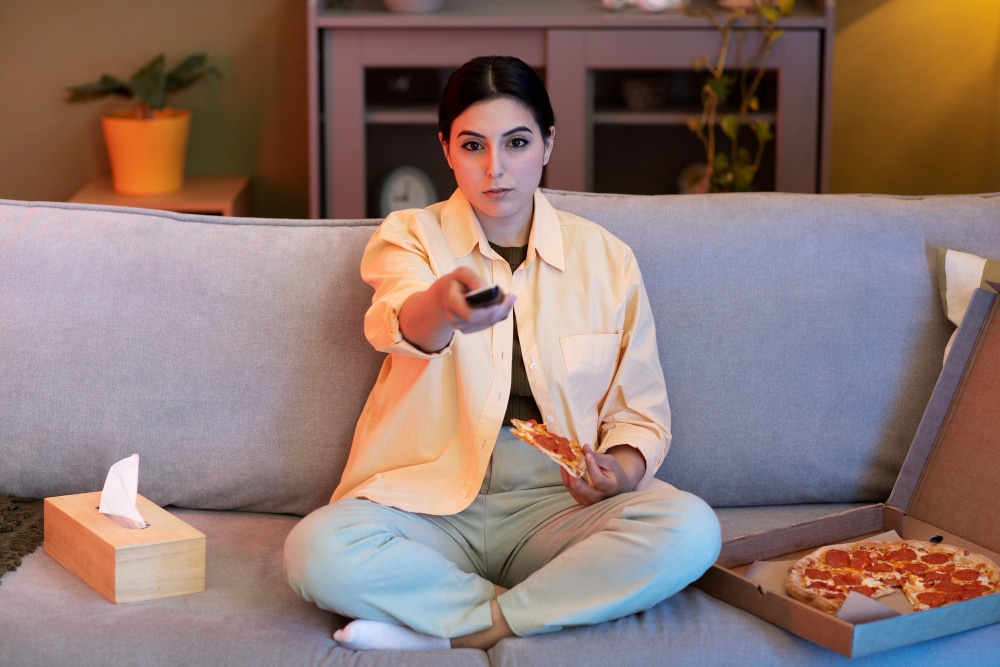
You press the power button. Nothing. You shake the remote like it owes you an apology. Still nothing.That’s when it hits you. The screen is frozen, the remote is blinking, and you’re on the edge of launching it across the room.Been there.
Learning how to sync a Rokuremote is one of those things everyone assumes you already know, like parallel parking or setting up a printer. It’s supposed to be simple. It usually isn’t.
But it doesn’t have to drive you insane either. The trick is understanding why it gets out of sync and how to make the two start talking again, politely this time.So let’s go through it together, step by step, without the robotic jargon.
Step Zero: Know Your Enemy
Before fixing anything, identify which kind of remote you have. Roku makes two major types, and they behave like completely different species.
- Standard IR Remote. Think of it like an old TV remote. It uses infrared signals, which means it must literally “see” the Roku box to work.
- Enhanced or Voice Remote. Smarter, fancier, moodier. It connects through Wi-Fi Direct or Bluetooth. That lets you point it anywhere, but also means it can lose its mind when the signal drops.
Knowing the type matters because the syncing ritual changes. Mess that up, and you’ll be yelling at plastic for half an hour.
Part One: The Simple IR Remote
If you have the basic model, congratulations. It’s technically the easiest to use, though it still manages to annoy people daily.Here’s what usually fixes it:
- Check the batteries. Fresh ones, please. Don’t reuse the half-dead pair from your old flashlight.
- Clear the line of sight. No coffee cups or game consoles blocking the sensor. Infrared signals act like light… if it can’t “see,” it can’t work.
- Restart the Roku device. Unplug it for 10–15 seconds. Plug it back in and wait until the home screen loads.
After that, aim the remote straight at the device and press any button. If it responds, you’re done. If not, we move to the fun part.
Part Two: The Enhanced or Voice Remote
Now for the one that causes the most confusion. This version pairs wirelessly, which sounds fancy but tends to disconnect without warning.
The process below actually works.
- Turn on the TV and the Roku device. Wait until the home screen shows up.
- Open the battery cover on your remote. Inside, you’ll find a small pairing button.
- Hold the pairing button for five seconds. Watch for a blinking light near the bottom or inside the battery compartment.
- Wait for the pairing screen. It should pop up automatically; if it doesn’t, keep holding the button a little longer.
Once the Roku shows a message saying “Pairing remote,” relax. It’s doing its thing.
Sometimes it takes thirty seconds or so. That doesn’t mean it failed. It just means it’s thinking.
If nothing happens after a minute, restart both devices and try again. Yes, it’s annoying, but it usually works the second time.
When Everything Was Working Yesterday but Not Today
This one hurts. Everything worked fine last night. You turned off the TV, went to bed, woke up, and now it’s dead again.
Here’s the fastest way to resync it:
- Unplug your Roku device. Wait ten seconds.
- Remove the batteries from the remote.
- Plug the Roku back in.
- When it starts up, reinsert the batteries.
- Hold the pairing button for five seconds until the light flashes.
If it doesn’t reconnect, repeat the steps once more. Half the time, it works on the second try.
I know tech that requires patience feels like betrayal. But Roku’s wireless handshake sometimes just needs a reboot.
How to Program Roku Remote to TV
Syncing is only half the story. You probably want your Roku remote to control your TV too. No one wants two remotes on the couch.
To program Roku remote to TV, follow this path:
- On the Roku home screen, open Settings.
- Go to Remotes & Devices.
- Select Remotes, then choose your current remote.
- Pick Set up remote for TV control.
- Follow the instructions on the screen.
Roku will send out test signals to find your TV brand. It might play some music or mute/unmute the sound. When it works, you’ll see a confirmation message.
If it doesn’t, try again with the volume turned up so you can tell whether it’s registering. Sometimes, it needs two or three rounds to lock in.
Once done, you’ll be able to turn the TV on, adjust volume, and mute directly from the Roku remote.Small victory, big relief.
When the Remote Loses Its Mind
Sometimes, even after syncing, the remote just stops responding. No rhyme or reason.That’s when you try what I call the “soft reset.”
Press and hold Home + Back + Pairing button for about ten seconds. The light should flash. Let go, then pair it again using the normal steps.It doesn’t erase your Roku settings, it just wipes the remote’s confusion. Works wonders.
What About the Roku Mobile App?
This one is underrated. The Roku app can temporarily replace your remote.You just:
- Download it on iOS or Android.
- Make sure your phone is on the same Wi-Fi network as your Roku.
- Open the app, tap Devices, and select your Roku.
- Use the on-screen remote.
It even has a keyboard, which saves you from typing passwords with arrow keys one letter at a time.
You can also launch apps or use voice commands straight from the phone. Handy for emergencies or when your physical remote decides to quit.
Common Reasons Pairing Fails
There are a few classic culprits that most people never check:
- Weak batteries. They cause partial pairing: the light flashes, but the connection drops mid-way.
- Wi-Fi interference. Microwaves, routers, and even baby monitors can interrupt the pairing signal.
- Old software. Outdated firmware can cause the remote and device to speak different “languages.”
Go to Settings > System > System update and make sure both are running the latest version.
Also, if your remote feels hot, that’s a red flag. Take out the batteries and let it rest before pairing again.
The Psychological Side of Tech Rage
I’ll be honest: syncing remotes brings out the worst in people.
There’s something about pressing a button and seeing no result that triggers primal frustration. It’s the modern version of shouting at the sky.
You start blaming everything: the batteries, the Wi-Fi, your own existence. Then, when it suddenly starts working, you feel both relieved and suspicious.
That’s normal. Technology is emotional now. We build tiny expectations into plastic devices, then feel betrayed when they fail us.But I promise, the fix always comes. Sometimes it’s just stubborn persistence.
Real Talk: It’s Not Always You
If you followed every step and it still refuses to connect, it could simply be a hardware failure. Roku remotes wear out faster than people realize.
The average lifespan? Around two to three years with regular use. Heat, battery corrosion, or moisture can kill sensors.
Replacement remotes are cheap and easy to find. Just double-check compatibility before buying.There are universal remotes that claim to work, but the official Roku ones almost always perform better.
Tips That Actually Help in Real Life
After a few too many “remote tantrums,” I picked up some real-world tricks:
- Re-pair in low light. Easier to see blinking indicators.
- Keep your router close. Strong Wi-Fi equals smoother pairing.
- Avoid power strips for the Roku stick. Direct wall sockets give a more stable connection.
- Restart your router once a week. Keeps the network clean.
- Use name-brand batteries. Cheap ones die faster and leak more often.
These little things make a bigger difference than you’d expect.
Why Roku Remotes Disconnect Randomly
Here’s the technical truth.Enhanced Roku remotes often use Wi-Fi Direct instead of Bluetooth. That gives them a better range, but it also ties them to your network’s stability.
If your router reboots or your device switches bands, the handshake breaks.You could be sitting there thinking your remote’s broken when it’s just your Wi-Fi taking a coffee break.
In that case, simply reconnect after your network stabilizes. It’s not you losing your mind;it’s just modern wireless technology doing what it does best: confusing us.
A Small Moment of Patience Goes a Long Way
I know, you want instant results. We all do. But sometimes it’s about timing. Roku devices take a few seconds to wake up fully after a reboot.
If you start pressing buttons too soon, it won’t recognize the pairing signal. Wait a bit. Give it ten or fifteen seconds before holding that button.Funny how patience is the real hidden feature.
The Beauty of Small Wins
There’s something quietly satisfying about seeing that tiny “Remote paired successfully” message. It’s proof that persistence still works in a world built on glitches.
And when you finally sit back, click Netflix, and the show actually starts playing, you feel that brief moment of digital peace.
Learning how to sync a Roku remote isn’t really about tech. It’s about resilience, about not letting a blinking light ruin your evening.You might roll your eyes, but it’s true.
Long-Term Maintenance (Because No One Talks About It)
Keeping your remote healthy isn’t complicated. You just have to remember a few simple habits:
- Don’t mix old and new batteries.
- Keep the remote clean; dust in the sensor can block signals.
- Restart the Roku box once a month.
- Avoid extreme heat; don’t leave it on a radiator or near windows.
- Update firmware regularly.
That’s it. Treat it kindly, and it will behave longer than expected.
A Quick Reality Check
You’re not alone if you find all of this ridiculous. Technology that’s supposed to “just work” shouldn’t require a ritual.But that’s modern life. Convenience wrapped in complexity.The upside is that once you know how it behaves, you can fix it faster than most people. You go from helpless frustration to quiet control.And that feels good.
My Final Thoughts
Maybe syncing remotes isn’t a big deal. Maybe it’s just another small, annoying task. But I think it’s kind of poetic.
You take two things that forgot how to communicate and remind them how.Maybe that’s what all tech problems really are… little lessons in patience and reconnection.
So next time your Roku gives you the silent treatment, don’t panic. Just breathe, press the pairing button, and wait for the light to blink back.That moment, when the screen finally responds? That’s your reward.A quiet, satisfying click.
Frequently Asked Questions
1. What’s the fastest way to sync a Roku remote?
Hold the pairing button for five seconds while the device is on. Wait for the pairing screen, then follow on-screen prompts.
2. How can I program Roku remote to TV for power and volume?
Open Settings, select Remotes & Devices, choose your remote, and set up for TV control. Follow the test until your TV responds.
3. Why does my Roku remote keep disconnecting?
Usually Wi-Fi interference or old firmware. Restart both the Roku and your router, then re-pair.
4. Can I use the Roku app instead of the remote?
Yes. It connects via Wi-Fi and lets you control everything from your phone.
5. What if none of this works?
Your remote might be faulty. Replace it with a compatible model from Roku’s official store or a trusted retailer.
Don't Miss